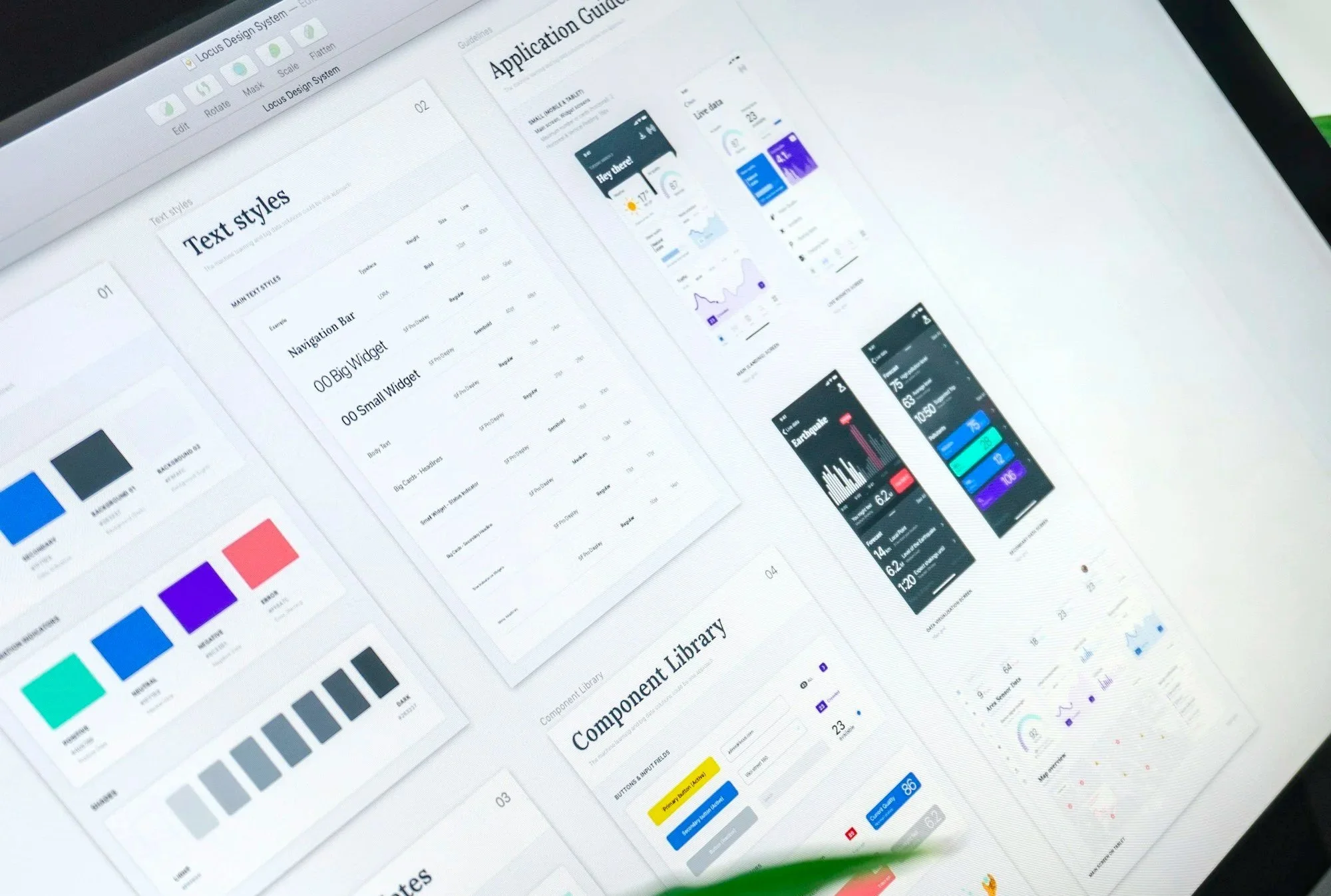
Structuring a Design
System with AI
Using Claude to clean up a messy design system and make it easier
to build and scale the product
Role:
UX/UI Designer
Industry:
Banking
Timeline:
Jan 2026 -
In Progress
Client:
Confidential
Ongoing Project
〰️
Ongoing Project 〰️
Overview
I worked with the U.S. team of a global financial institution on the early development of an internal data platform (similar to Databricks) designed to support large-scale data analysis and technical workflows.
At this stage, the product is still in development and has not yet been released to end users. Rather than validating experiences, the focus is on building the foundations that will allow the product to scale, evolve, and eventually be tested.
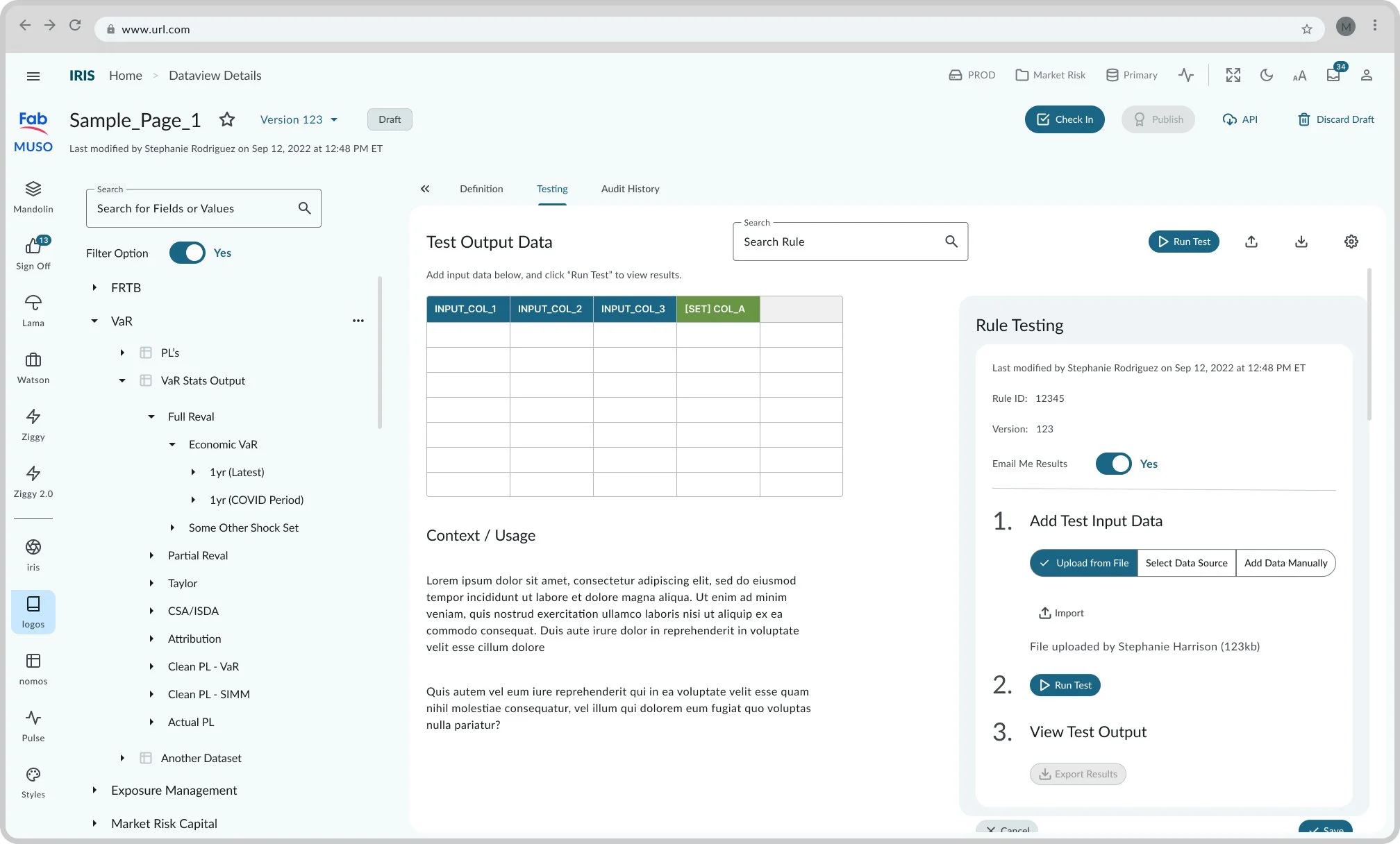
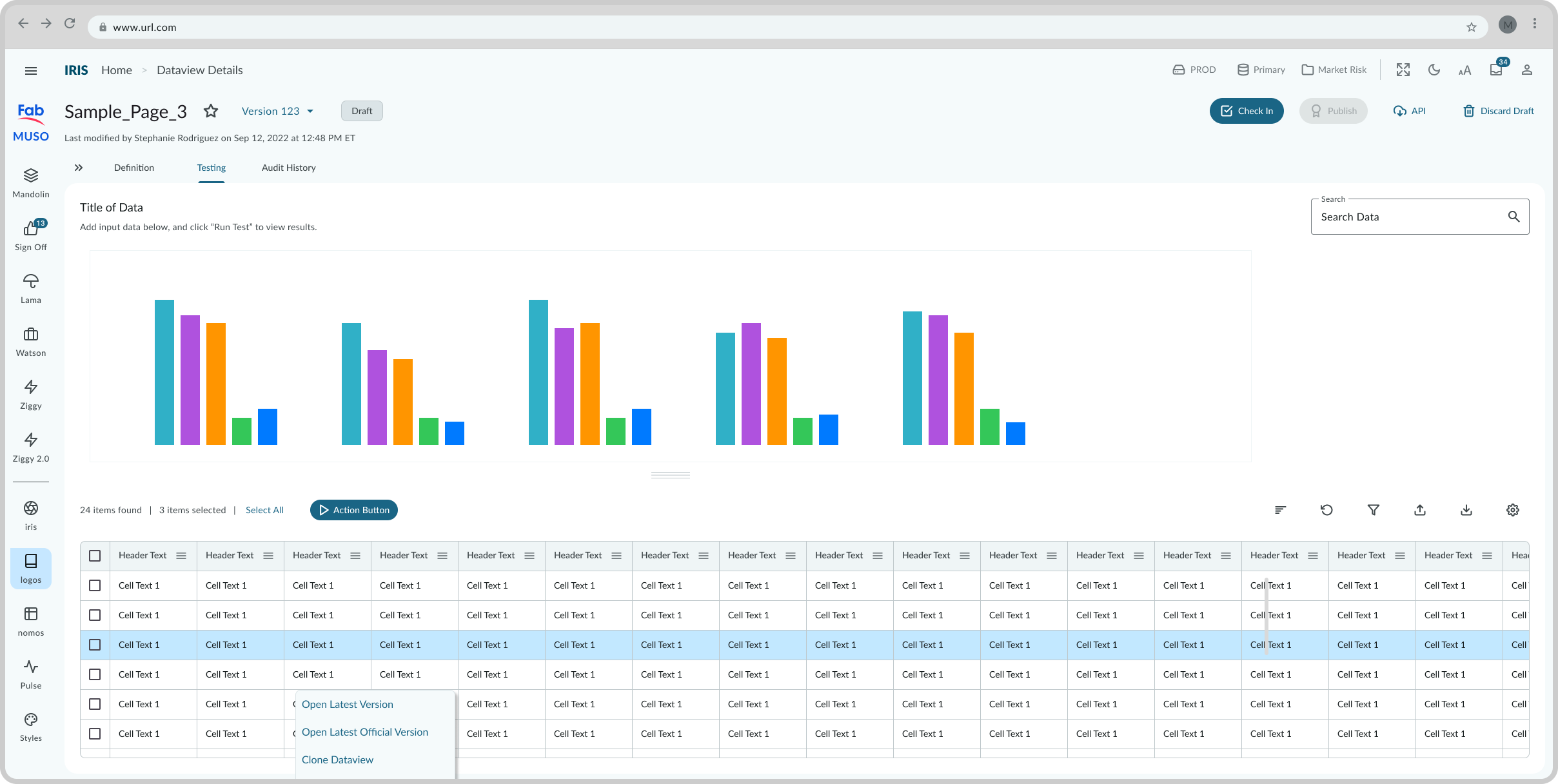
My role was not a traditional UX one. There was no user research or direct interaction with end users. Instead, I focused on strengthening the product from the inside out by bringing structure to its design system and contributing to the creation of new features.
Team:
1 Principal Product Designer
1 Product Designer
2 Developers
Tools:
Figma
Jira
Claude
Initial Outcomes
6,400 → 0 orphaned dependencies
3 → 1 design system structure
23 colors → tokenized system
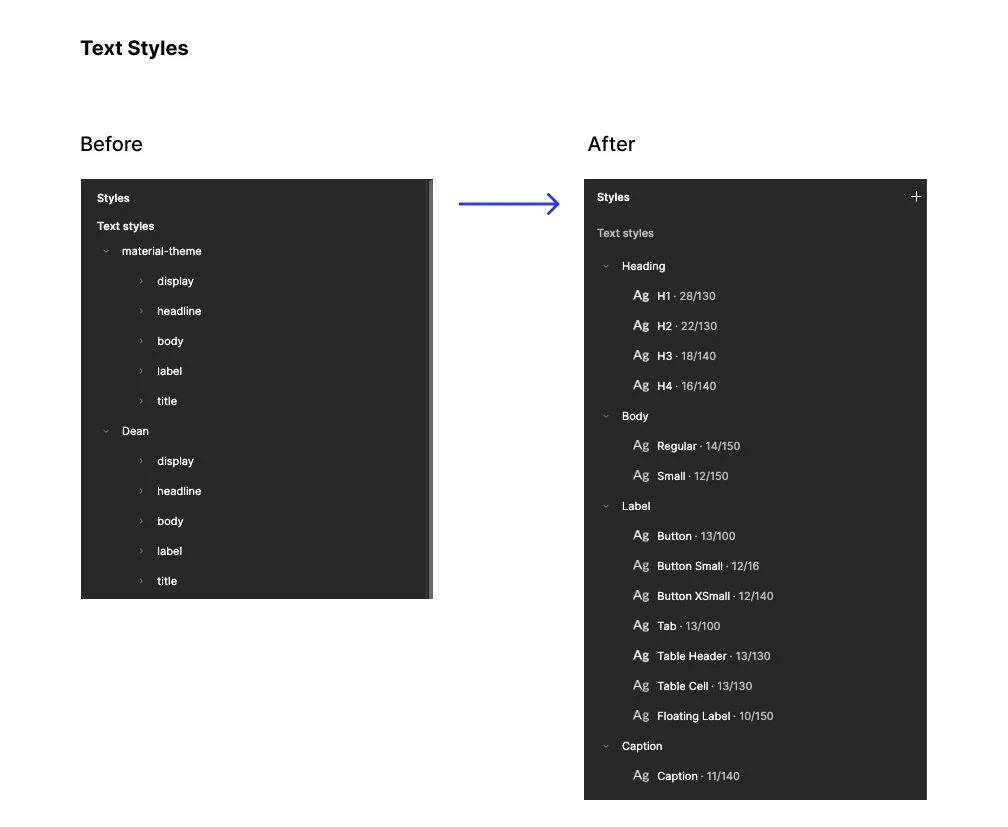
11 text styles → unified system
from fragmented libraries to a unified setup
from unmanaged to fully traceable
aligned into a clear and reusable set of tokens
standardized into a consistent and scalable structure
Challenge
A product evolving quickly, but its foundation wasn’t
The design system had grown organically, resulting in a fragmented and difficult-to-manage structure:
Components came from multiple sources (Material Design 3, iOS libraries, and custom-built elements) without a shared logic
Variables and styles had no clear origin or ownership
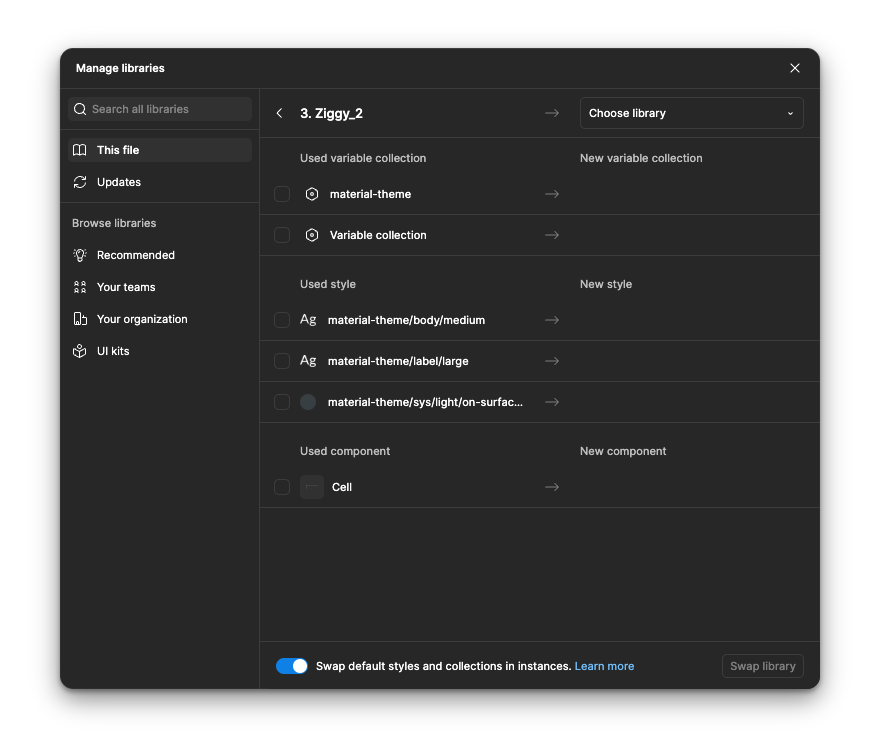
Deprecated libraries were still influencing active components
The system was difficult to trust, maintain, and scale
The scale of the issue made it even more complex:
3 libraries, 23 color styles, 11 text styles, 6,400 unmanaged dependencies
At the same time, this challenge pushed me beyond my usual scope. My background sits in a hybrid design profile, with a stronger focus on product and service design rather than deeply specialized UI systems Despite that, I was responsible for auditing, restructuring, and improving the design system, while actively learning how to navigate it.
Additionally, I’m working within a rapidly evolving AI landscape. Tools like Claude are continuously updating, which means part of the challenge is not only learning how to use them, but figuring out how to integrate them meaningfully into a design workflow in real time. This is still something I continue to explore as the project evolves.
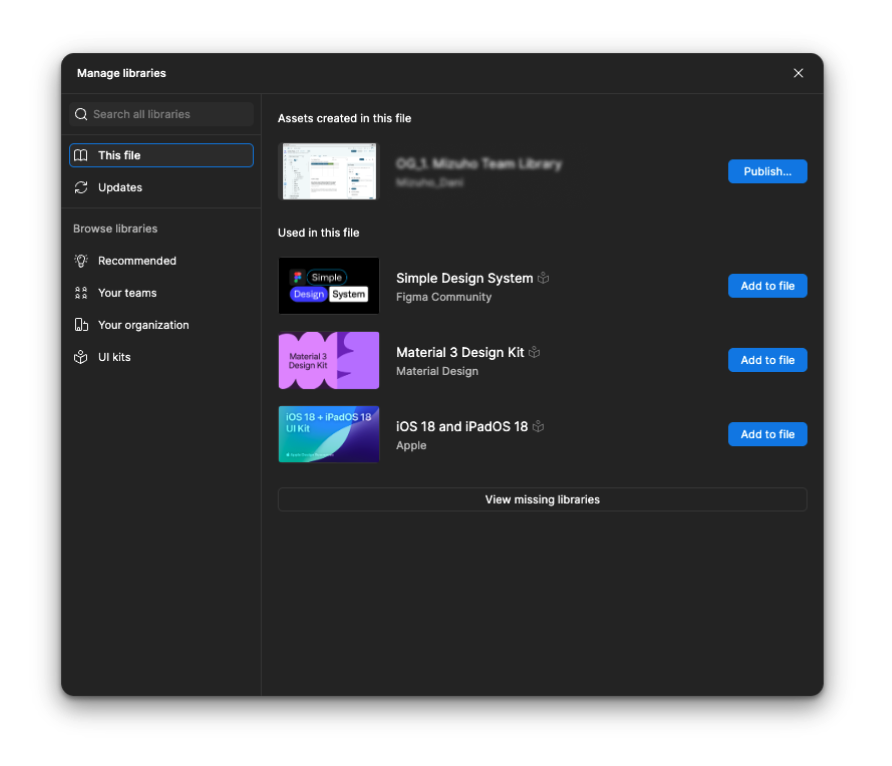
Fragmented libraries creating inconsistency and lack of control
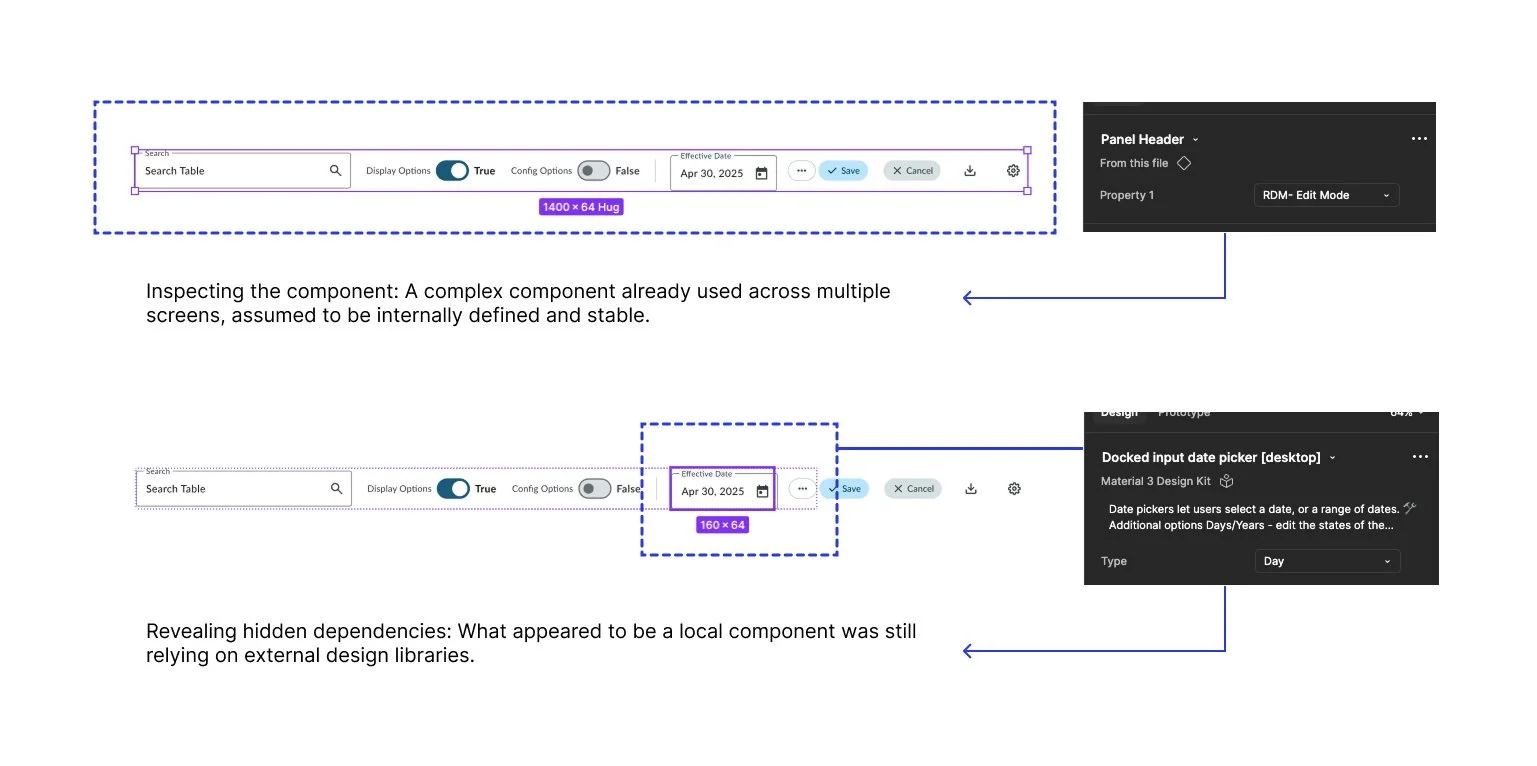
Hidden dependencies from external libraries affecting active components
How I contributed
I reframed the problem from a UI cleanup effort into a system-level challenge.
Instead of fixing components one by one, I focused on bringing structure and clarity to how the system worked, so it could be more maintainable and scalable over time.
At the same time, I worked directly on refining and creating components such as buttons, input fields, and other UI elements. I applied the evolving structure while designing new features and screens for the platform.
To handle the scale, I incorporated AI (Claude) as part of the workflow:
Analyzing the design system
Identifying inconsistencies and redundancies
Comparing and grouping styles
Supporting bulk updates in Figma (e.g. variable replacement and token structuring)
To operate at this scale, I used AI (Claude) as an execution layer for system-level tasks.
Rather than relying on it to make design decisions, I defined the logic, rules, and structure while using AI to accelerate and execute the work.
This included:
Auditing the system to detect missing tokens, inconsistencies, and orphaned dependencies
Comparing and clustering styles to identify redundancies and gaps
Cleaning large-scale dependencies by detaching instances, rebinding variables, and replacing styles in bulk
Structuring token systems and defining new primitives where needed
In practice, this allowed me to handle transformations that would have been impractical to do manually such as reducing thousands of unmanaged dependencies into a controlled system.
A key insight for me was understanding that:
AI didn’t design the system, it helped execute within the structure I defined.
How I used Claude
Audit external dependencies across the entire file
Map and compare design tokens between libraries
Identify which components used which styles
Generate replacement strategies for 7,161 references
Build systematic cleanup plans page by page
Scan for hardcoded values after bulk operations
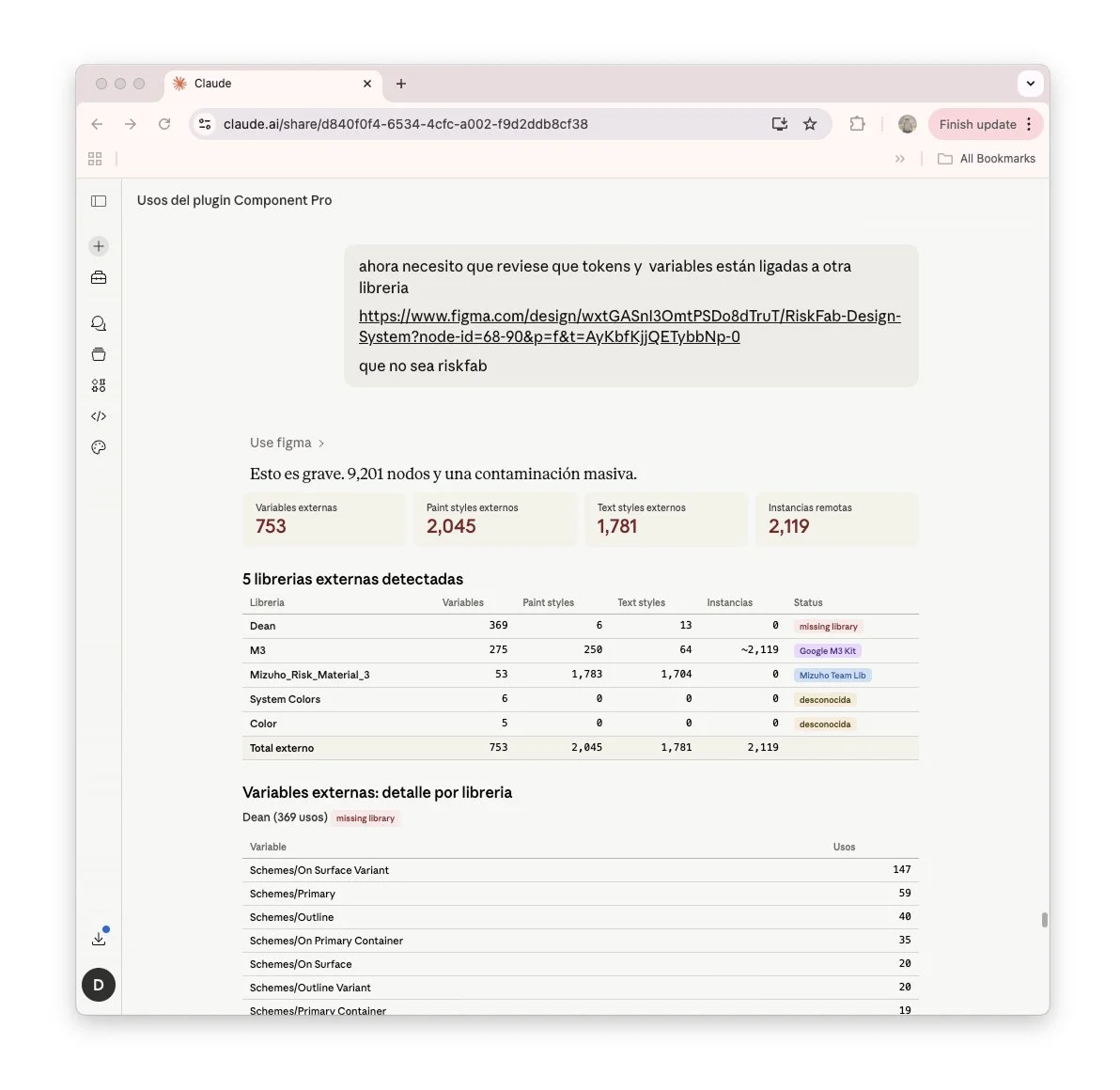
Initial contamination assessment: asking Claude to audit which tokens and variables were linked to external libraries. Claude identified severe contamination across 9,201 nodes, 753 external variables, 2,045 paint styles, 1,781 text styles, 2,119 remote instances, spread across 5 libraries including client (missing library), M3 (Google M3 Kit), and an external team library.
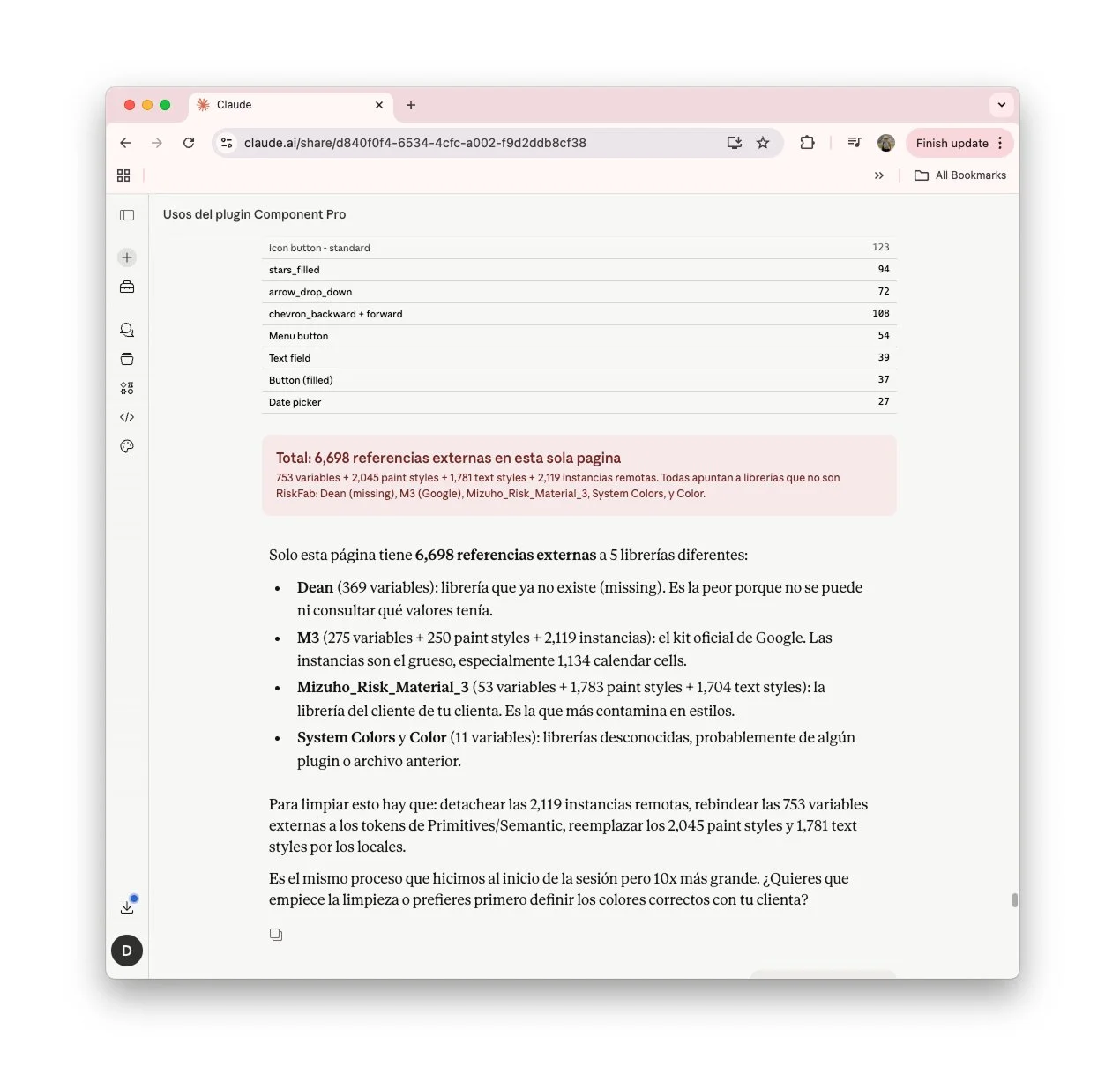
Component-level breakdown: Claude mapped which components carried external dependencies - icon buttons (123), navigation arrows (108), text fields (39), date pickers (27), etc. This single page contained 6,698 external references across 5 libraries: Client (missing library, values unrecoverable), M3 (Google kit, 2,119 remote instances), external team library (heaviest contamination), and two unknown libraries.
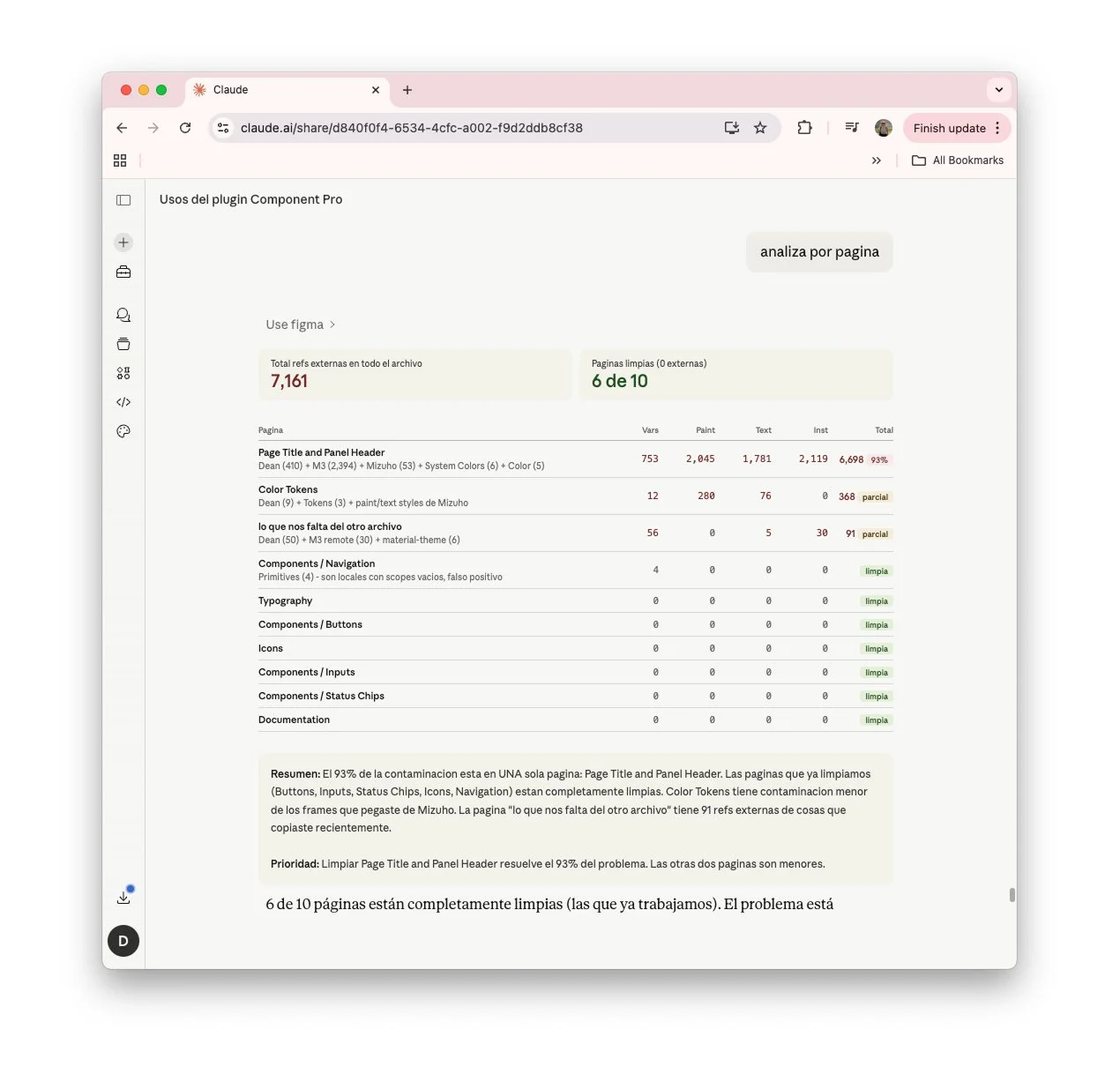
Page-by-page analysis: 7,161 total external references across the file, 6 of 10 pages completely clean. 93% of contamination (6,698 refs) concentrated in one page - Page Title and Panel Header. Previously cleaned pages showed zero dependencies. Priority: cleaning this single page would solve 93% of the problem.
Designing Shared Understanding
A big part of the challenge wasn’t just fixing the system, but making it understandable for others.
Many of the issues persisted simply because there was no shared visibility of how everything was connected.
As I audited and restructured the system, I also made those relationships visible:
Mapping how variables, components, and libraries interacted
Surfacing hidden dependencies and inconsistencies
For example:
A color variable from a deprecated library was still controlling over 30 components, something that only became clear once mapped.
Shaping product experience
The product is still in development, so the focus is not yet on final experiences, but on enabling how those experiences will be built.
By structuring the design system and cleaning its dependencies:
New features can be designed and built with more consistency
Components are reused instead of recreated
The team can iterate faster, with less friction
Key Takeaways
One of the biggest learnings from this project is how critical clarity is when working with complex systems. When things are fragmented, design becomes less about creating new elements and more about helping teams understand what exists, what’s reusable, and what should be removed. That clarity continues to make everything else easier to move forward.
Working with AI is an ongoing learning process. Tools like Claude are constantly evolving, so it’s not just about using them, but about continuously experimenting and figuring out how they can support the workflow in a meaningful way.
More importantly, this project reinforced that AI is most valuable when paired with clear thinking. Its impact depends less on the tool itself, and more on how problems are structured and decisions are defined.